Visual Timer App: A Simple Way to See Your Focus Time
Learn how visual timer apps work, how to use a timer for focus and study, and what to look for when choosing a simple focus timer for iPhone.
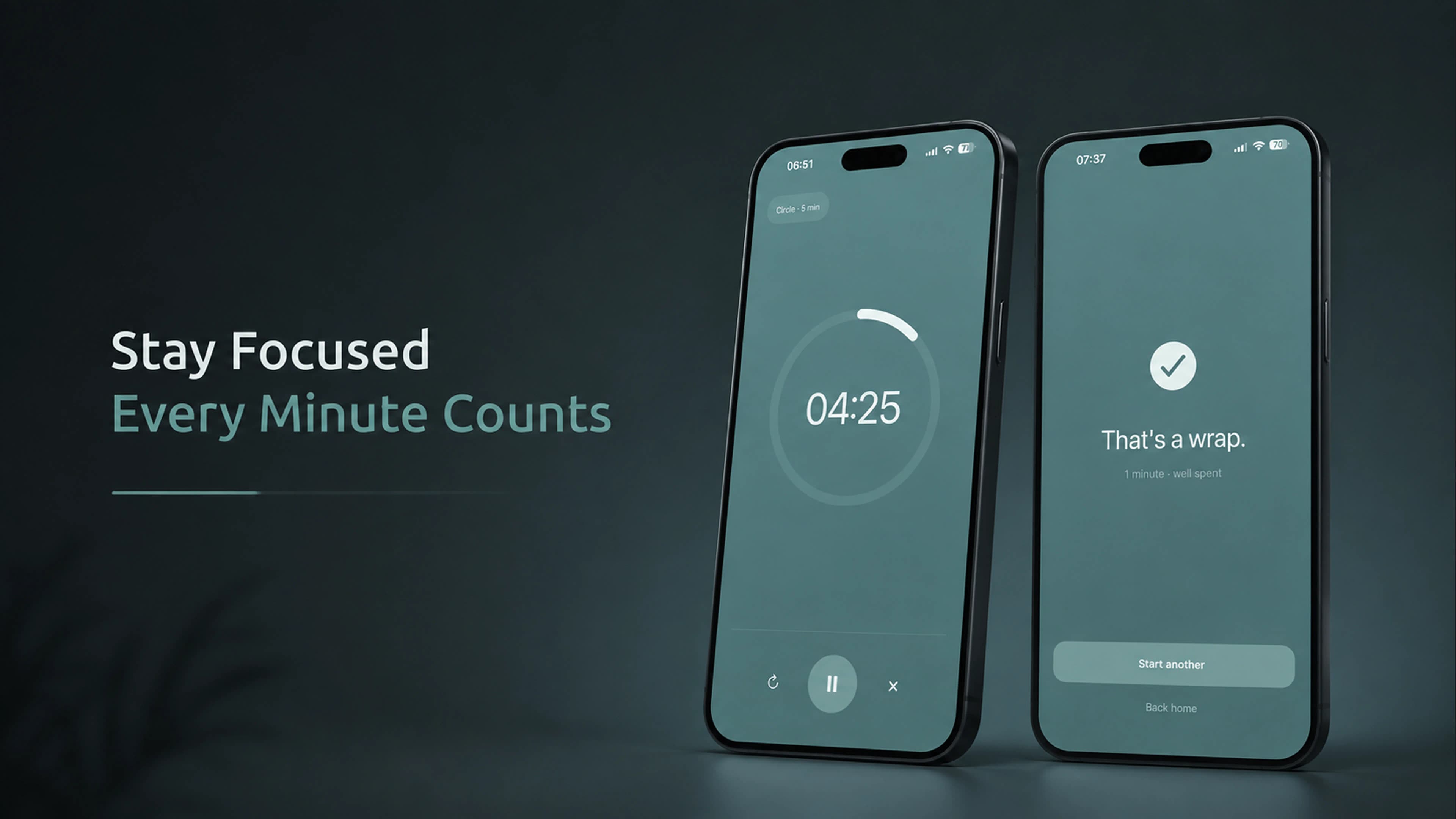
Most timer apps show remaining time primarily as changing numbers. That works well, but sometimes you want to understand how a session is progressing without reading and re-reading a countdown.
A visual timer represents the remaining time visually as well as numerically, so a glance is often enough to understand how much of a session is left.
This guide covers what a visual timer app is, how it differs from a regular countdown timer, when it's useful for studying, work and focus sessions, what to look for when choosing one, and how Klara approaches visual time on iPhone.
What Is a Visual Timer App?
A regular countdown timer communicates time primarily through numbers — minutes and seconds counting down to zero.
A visual timer adds a graphical representation of that same remaining time. As a session progresses, the visual — a shrinking circle, a shrinking bar, or a similar shape — changes alongside the numbers.
This makes the progress of a session visible at a glance, without needing to read and interpret the exact number every time.
Visual Timer vs. a Regular Countdown Timer
Both approaches track the same thing — time — but they communicate it a little differently.
Regular Countdown Timer
- Primarily shows minutes and seconds
- Useful when the exact remaining time matters
- Requires reading the countdown to gauge progress
Visual Timer
- Adds a visual representation of the remaining time
- Makes session progress visible at a glance
- Can still show the exact time when you need it
Neither approach is objectively better — they solve slightly different needs. A regular countdown is precise and familiar. A visual timer adds an at-a-glance sense of progress on top of that.
When Is a Visual Timer Useful?
Studying
Choose a defined study period and start the timer. A visual timer lets you see how the session is progressing without breaking focus to read the exact minute count.
Focused Work
Setting a timer for a single task creates a clear period to work in, with the visual countdown as a passive reminder of how much time is left.
Deep Work
Longer, uninterrupted sessions benefit from a timer that's easy to check without disrupting concentration — a glance at the shape tells you roughly where you are.
Reading
Set aside a specific amount of reading time and let the timer run, rather than checking the clock every few pages.
Everyday Tasks
Writing, cleaning, planning and other everyday tasks can all benefit from a visible countdown that keeps a task bounded without demanding attention.
How to Use a Timer for Focus
- Choose one task. Avoid starting a timer with several unrelated things competing for attention.
- Choose a realistic duration.The session doesn't have to be 25 minutes — short sessions can work for small tasks, while longer sessions suit deep work.
- Start the timer. Once it starts, work primarily on the task you selected.
- Use the timer as a boundary. Instead of repeatedly deciding whether to keep going, let the timer define the session.
- Take a break when you need one.Don't turn this into a rigid productivity system.
Does a Focus Timer Have to Be a Pomodoro Timer?
No. Pomodoro is one specific approach that commonly uses timed work periods and short breaks in between.
A focus timer can simply be a timer used to define a period of focused work — the duration is up to you.
Some people prefer fixed Pomodoro intervals. Others prefer choosing their own duration depending on the task.
What Should You Look for in a Focus Timer App?
- Simple setup. A timer should be quick to start.
- Flexible duration. Different tasks may need different amounts of time.
- Clear progress. You should be able to understand how much of the session remains.
- Low distraction.A focus timer shouldn't require constant interaction.
- Background behavior. On iPhone, the timer should continue correctly when you leave the app or lock the phone.
- Notifications. A clear notification when the timer finishes is useful.
- Privacy.Some people prefer a timer that doesn't require an account or send unnecessary personal data elsewhere.
Klara: A Visual Focus Timer for iPhone
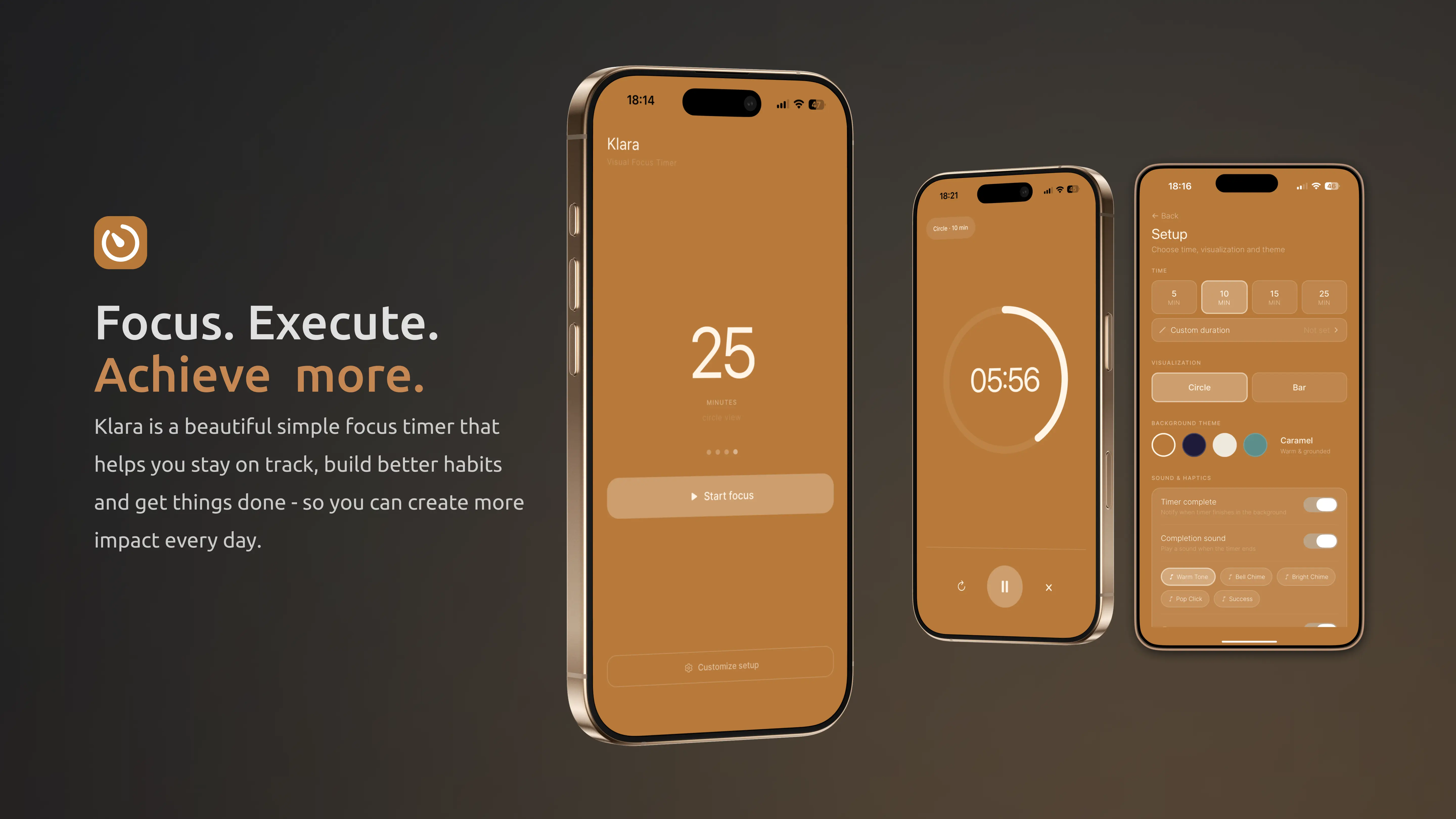
Klara is Code By Nordic's visual focus timer for iPhone. It's built around a simple idea: choose a duration, start the timer, and see the remaining time visually as a shrinking circle or progress bar.
Klara includes a set of preset durations plus a custom option up to 180 minutes, so a session can be as short or as long as the task needs.
It's intentionally simpler than productivity apps that combine a timer with task managers, statistics, calendars or other systems. Klara is for someone who wants the timer itself to stay simple.
How to Use Klara
- Choose Your Time. Pick a preset or set your own duration.
- Start the Timer.Start the session when you're ready.
- Follow the Visual Countdown. Check the visual countdown whenever you want to see how much time remains.
Who Is Klara For?
Klara may suit people looking for:
- A simple timer app
- A visual timer
- A study timer
- A focus timer
- A work timer
- A visual countdown timer
- An iPhone timer without unnecessary complexity
